Candela vs BetterDisplay vs Lunar
Short answer: BetterDisplay has the deepest feature set and charges $21.99 for the parts most people want. Lunar is the best at automatic brightness — ambient light, location, sync with the built-in display — and charges $23. Candela does the core job of both, gives every feature away under MIT, and is deliberately narrower: macOS 26, Apple silicon, no automation engine.
All three are worth having. Which one you want depends on whether you are paying for depth, for automation, or for neither.
At a glance
| Candela | BetterDisplay | Lunar | |
|---|---|---|---|
| Price | Free, all features | Free tier + Pro $21.99 | Free tier + Pro $23 |
| Open source | Yes, MIT | Source on GitHub | Yes |
| Flexible HiDPI scaling | Free | Pro only | — |
| DDC brightness / volume | Free | Free | Free, capped at 100 adjustments a day |
| Virtual / custom screens | Free | Pro only | — |
| Disconnect a display | Free | Pro only | — |
| Brightness-key redirection | Free | Pro only (advanced shortcuts) | Free |
| Ambient / automatic brightness | — | Yes | Its speciality |
| Sync with built-in display | Yes | Yes | Its speciality |
| Requires | macOS 26, Apple silicon | macOS 13+, Intel & Apple silicon | macOS 11+, Intel & Apple silicon |
Prices checked against each project's own site in August 2026 and may vary by region.
What the free tiers actually hold back
This is the part comparison tables usually blur, so here it is plainly.
BetterDisplay's free build is genuinely useful — DDC brightness, volume, EDID work. What Pro unlocks is the list its own site publishes: flexible HiDPI scaling, XDR/HDR brightness upscaling, custom virtual screens, HDR virtual screens, disconnecting and reconnecting displays, and advanced custom keyboard shortcuts. If you came looking for sharp scaling on a 1440p monitor, that is the paid feature.
Lunar's free build is not feature-limited so much as rate-limited: 100 brightness adjustments and 100 action calls per day. That is fine for a slider you touch a few times, and restrictive for anything automatic — which is what Lunar is for. Sync Mode, Sensor Mode, Location Mode, XDR Brightness and Shortcuts automation are Pro.
Candela has no tier. There is nothing to unlock, and nothing that stops working on the hundred-and-first adjustment.
Where each one is genuinely better
Choose BetterDisplay if you have an Intel Mac or an older macOS, or if you need EDID overrides, picture-in-picture, streaming a display, or the long tail of options it has accumulated over years. It is the most capable of the three by a wide margin, and $21.99 once is a fair price for it.
Choose Lunar if what you actually want is for brightness to manage itself. Its ambient-light sensor mode, sync-with-built-in mode and location-based curves are better than anything the other two do, and its Shortcuts integration makes brightness scriptable. Candela has no automation engine and does not pretend to.
Choose Candela if you want the everyday controls — brightness, sharp scaling, brightness keys, presets — without a purchase decision, and you are on a current Mac. Also if you want to read the code that is talking to your monitor over I2C, which is a reasonable thing to want from software that writes to your hardware.
Where Candela is different, not just cheaper
Displays that match each other, not just move together. Every one of these apps can send the same percentage to two monitors. That does not make them look the same: panels differ in output at full brightness and in how their backlight responds on the way down, and macOS reports no absolute figure to normalise against. The visible failure is at the bottom — a monitor dimmed over DDC keeps a backlight floor and is still lit at zero, while one dimmed in software goes nearly black. Candela lets you calibrate that floor by eye, once per display, and then the combined slider keeps them together. How it works →
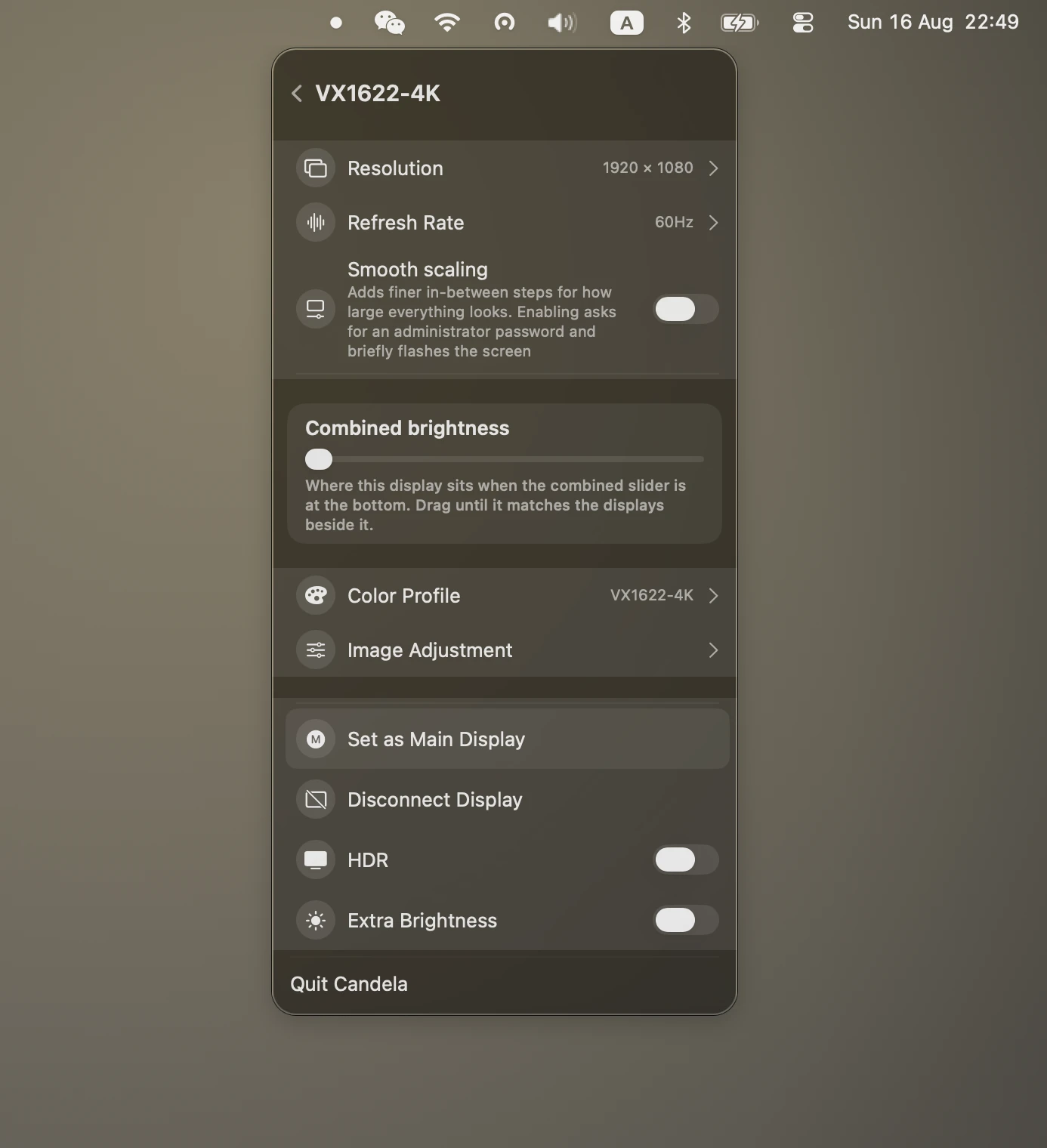
It tells you when brightness is faked. If a monitor refuses DDC — some do, and some USB-C docks do not pass the channel through — Candela dims the picture instead of the backlight, and puts a Software badge on that display's slider. Silent fallback is how "brightness works but looks wrong" turns into an hour of debugging.
A panel, not a preferences window. Controls are grouped on separate surfaces with drill-down pages, the way Control Centre does it, instead of one long scroll of collapsible sections.
What Candela does not do
Stated plainly, because a comparison that only lists strengths is an advertisement:
- No Intel support, and macOS 26 only. It is built against the macOS 26 SDK and its DDC path is Apple silicon's. If you are on Ventura or an Intel Mac, this is not the app; BetterDisplay is.
- No ambient-light automation. No sensor mode, no location curves, no sync-to-sunset. Lunar owns this.
- No EDID override, PIP, or display streaming.
- Fewer years of edge cases. BetterDisplay has been handling odd monitors and odd docks since 2021. Candela is new, and new software meets fewer monitors.
Frequently asked
Is Candela really free, or free-for-now? MIT-licensed and on GitHub. A future version could never retroactively close the source that is already published, and anyone can fork it.
Can I run more than one of these at once? Not on brightness. Two apps writing DDC to the same monitor fight each other and the brightness visibly oscillates. Pick one for brightness; the rest can coexist.
Why does my monitor not respond to brightness at all? Its DDC/CI setting is off, or something in the chain is not passing the channel through. Check the monitor's own on-screen menu first — it is usually under Settings or Other Settings — then try connecting it directly to the Mac instead of through a dock or hub.
Does any of this work over USB-C or Thunderbolt? Yes, when the cable or dock passes the DDC channel. Direct connections are the most reliable; cheap hubs are the usual culprit when a display works for video but not for brightness.