
Sync brightness across multiple monitors
The short version: one slider can drive every display at once, and Candela has one. But matching the number is not the same as matching the light, and on a desk with mixed monitors the difference is obvious at the bottom of the range — one screen is still readable while its neighbour looks switched off. Fixing that takes a one-time, per-display calibration by eye.
Moving every display at once
Open Candela's panel and use the Combined slider. It drives every connected display, and the brightness keys can do the same thing if you set their target to All displays together.
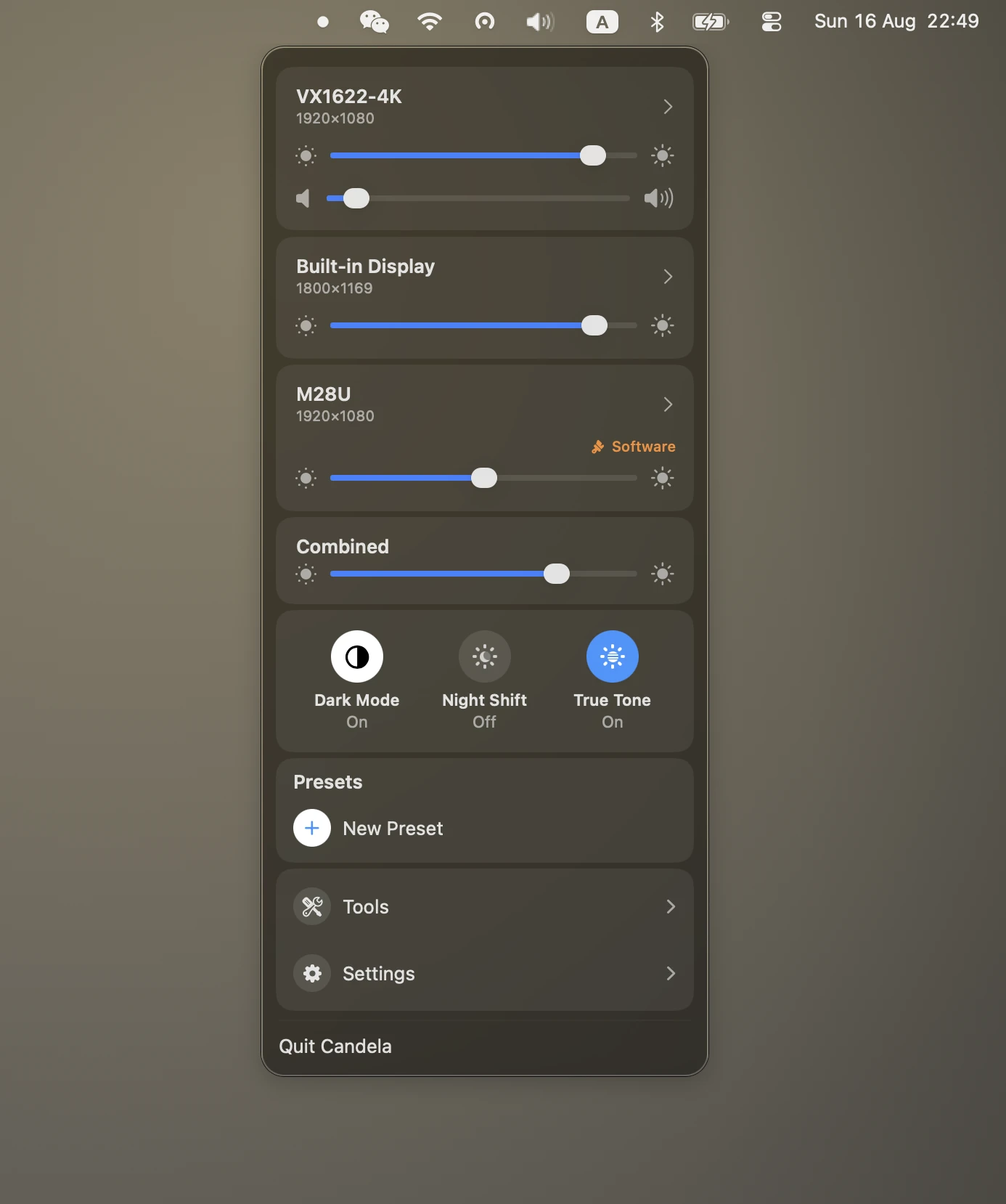
The combined level is a proportion, not an absolute value, so a display with extra headroom uses its extra headroom and a plain one does not have to pretend it has any. Clamping happens on the combined level rather than per display, which is what stops one screen bottoming out at zero while another is still at 40 with no way back to matching.
For most desks — two similar monitors, both accepting DDC — that is the whole story.
Why the same percentage looks different
Now the part that surprises people.
Two panels at "50%" do not emit the same light. They differ in how bright they are at full output, and in how their backlight responds on the way down. macOS reports neither. Ask it for a display's absolute luminance and you get nothing usable: two monitors on the desk this feature was built for both report an extended-dynamic-range headroom of 1.0 and a reference value of 0.0, which means "standard dynamic range, no figure available". There is nothing to normalise against without a colorimeter.
The mismatch is worst at the bottom, and it has a specific cause:
- A display dimmed over DDC has its backlight turned down. At the lowest DDC value most panels are dim but plainly still lit — the backlight has a floor.
- A display that refuses DDC is dimmed by scaling its gamma table instead. That really does approach black.
Send both to 0% and one is readable, the other looks switched off. That is not a bug in the slider; it is two different physical mechanisms being given the same number.
Candela already corrects the shape of the software curve. Gamma scaling changes the signal, and the panel applies its own transfer function of roughly 2.2 on top, so halving the signal gives about 22% of the light rather than 50%. Candela raises the signal to the inverse power so the software path follows the same luminance curve as the hardware one. What that cannot fix is where each panel bottoms out.
Calibrating the floor
So the eye is the instrument. It takes about thirty seconds, once per display.
- Pull the Combined slider all the way down. Your displays are now as different as they will ever look.
- Click the display that is too dark — or too bright — to open its page.
- Drag the Combined brightness slider. The display follows it live, so you are comparing directly against the monitor beside it.
- Stop when they match. That is it: the value is saved, and the display is returned to where it was sitting before you started.
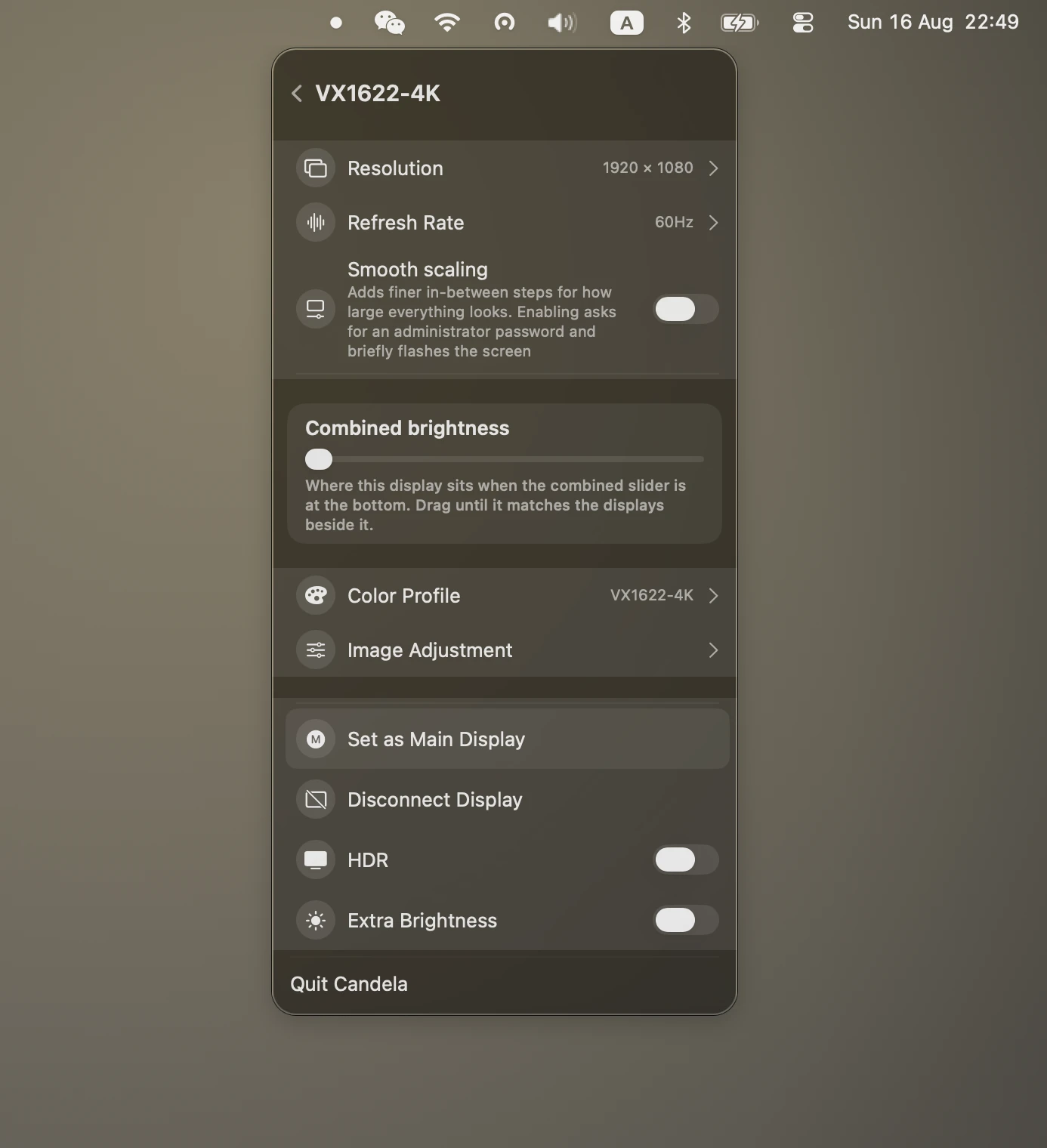
From then on, the combined slider and the brightness keys route every display through its own floor. They arrive at the bottom together, and they stay together on the way back up.
The setting is stored per physical display, so unplugging and reconnecting keeps it, and it only appears when more than one display is attached — with a single screen there is nothing to match it to.
What is deliberately not calibrated
The top. All the way up means each panel's own maximum.
That is what people reach for the top of a slider expecting, and holding a brighter display back so it matches a dimmer one throws away light you paid for. What is being matched here is the range, not the absolute output — and if you want a brighter panel capped, its own slider is right there.
An uncalibrated display behaves exactly as it did before floors existed, so a desk that already matched does not change.
Sync with the built-in display
If you want external displays to follow the MacBook's own brightness as ambient light changes, that is a different feature — automatic brightness — and Lunar is better at it than anything else on macOS. Candela has an auto-brightness follow mode, but no ambient sensor curves, no location modes and no Shortcuts automation. It is not trying to compete there.
Related
- Brightness keys for an external monitor
- Fix a blurry external monitor on macOS
- Candela vs BetterDisplay vs Lunar
Download Candela — free, open source, macOS 26.